

Clear workspace boundaries
Keep each client’s campaigns, accounts and data in separate workspaces.
INSTAGRAM CAMPAIGN MANAGEMENT FOR AGENCIES
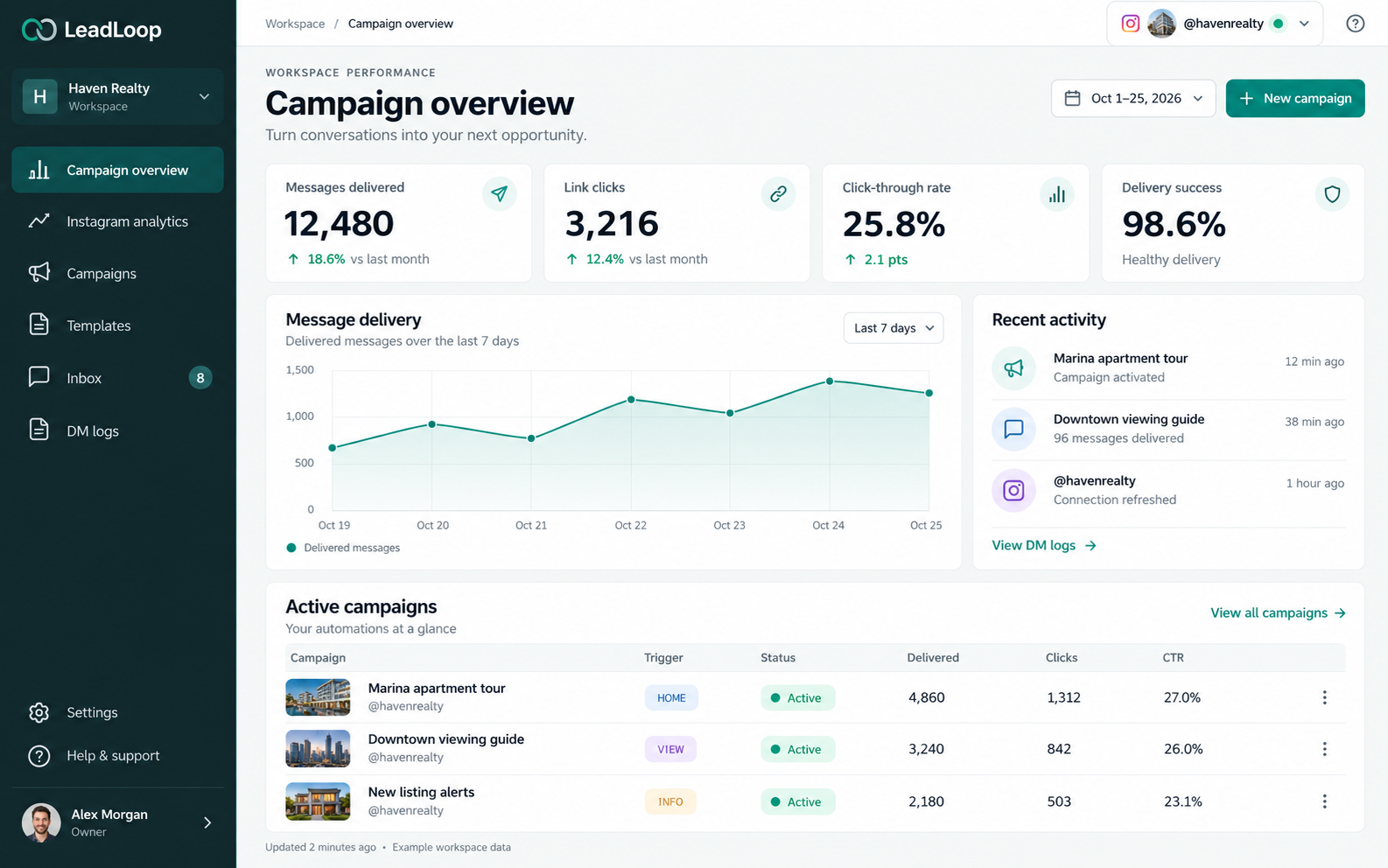
Manage Instagram campaigns across multiple client workspaces, each with their own accounts, campaigns and performance data.

Express.it
H
Haven Realty
Workspace


Campaign overview

Instagram analytics

Campaigns

Templates

Inbox
8
DM logs

Settings

Help & support
Alex Morgan
Owner

Workspace
/
Campaign overview

@havenrealty


WORKSPACE PERFORMANCE
Campaign overview
Turn conversations into your next opportunity.

Oct 1–25, 2026

New campaign
Messages delivered

12,480
↑ 18.6% vs last month
Link clicks

3,216
↑ 12.4% vs last month
Click-through rate

25.8%
↑ 2.1 pts
Delivery success

98.6%
Healthy delivery
Message delivery
Last 7 days
Delivered messages over the last 7 days
1,500
1,000
500
0
Oct 19
Oct 20
Oct 21
Oct 22
Oct 23
Oct 24
Oct 25




Delivered messages
Recent activity

Marina apartment tour
Campaign activated
12 min ago

Downtown viewing guide
96 messages delivered
38 min ago
@havenrealty
Connection refreshed
1 hour ago
View DM logs →
Active campaigns
View all campaigns →
Your automations at a glance
Campaign
Trigger
Status
Delivered
Clicks
CTR
Marina apartment tour
@havenrealty
HOME
● Active
4,860
1,312
27.0%

Downtown viewing guide
@havenrealty
VIEW
● Active
3,240
842
26.0%
New listing alerts
@havenrealty
INFO
● Active
2,180
503
23.1%
Updated 2 minutes ago · Example workspace data
Keep each client’s campaigns, accounts and data in separate workspaces.

Connect and manage accounts per workspace.

Invite team members and control access.
Set up and manage client campaigns.
Set up a workspace for each client and organize their accounts and campaigns.
Add one or more Instagram accounts to each workspace.
Create campaigns, track message delivery and link engagement, and optimize performance.
Yes. Create a separate workspace for each client with their own accounts, campaigns and data.
Connection limits depend on your workspace and provider plan. Your connection settings show the available options.
Yes. Invite team members and set workspace-level access so everyone only sees the clients they work on.
Product previews show illustrative campaign data.